
Find any document
in 3 seconds.
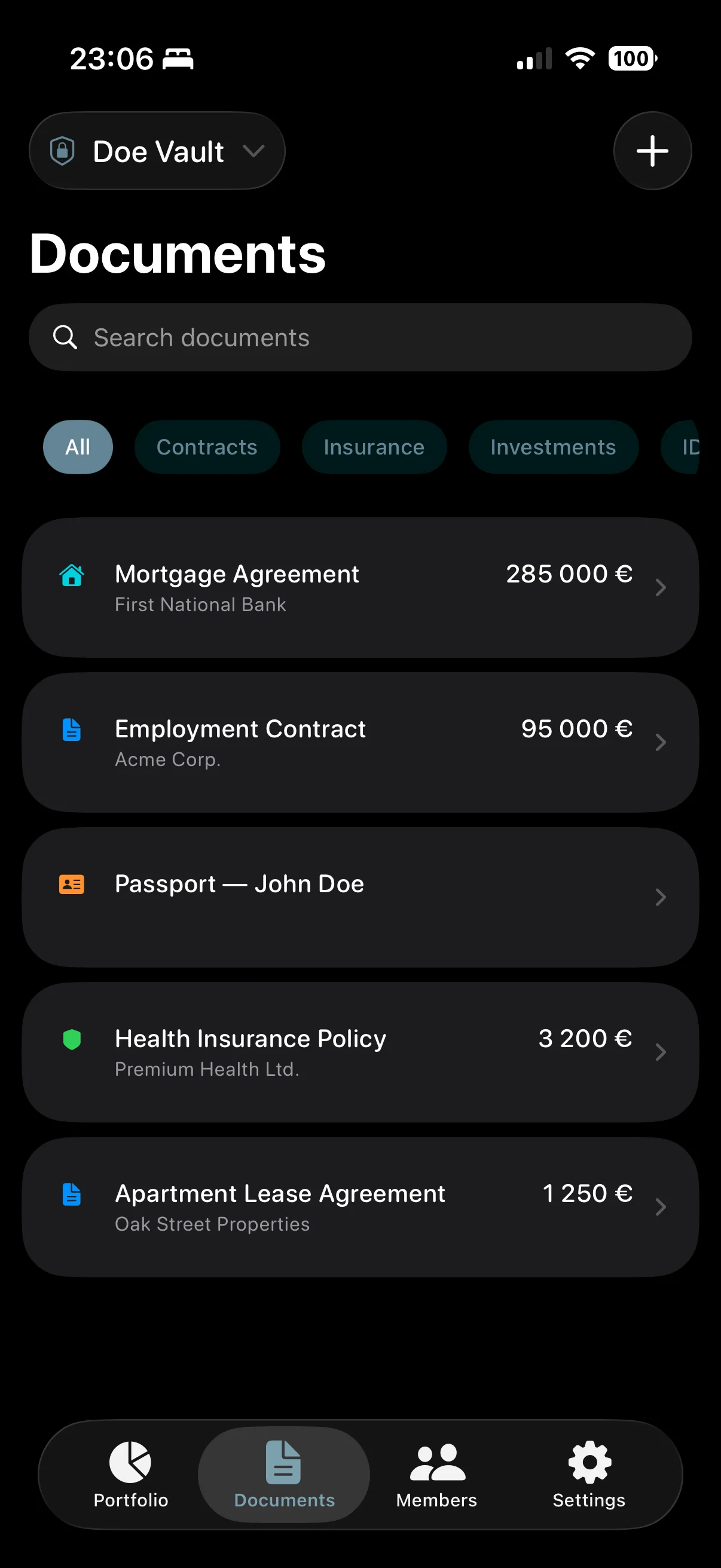
Contracts, insurance, IDs - organized in one vault and shared with your family via iCloud. No servers. No subscription.
Sound familiar?
Your important documents are everywhere. Except where you need them.
"Where's the apartment insurance?"
"In my email... I think... from 2023..."
"Do you have our contracts?"
"Somewhere in my photos... let me look..."
"If something happened to you today..."
"...would your partner know where everything is?"
One app. All your important documents. Shared with your family, partner, or team.
Everything stored securely in your iCloud. No external servers. No compromises.
What you get
Not features. Results.
Here's what changes after you set up Safelop.
Outcome 1
You find any document in seconds
Contracts, insurance, IDs, medical records - categorized, searchable, and always with you. AI-powered search finds what you need instantly.
Outcome 2
Everyone who needs access has it
One iCloud invite and they see the same vault. No more sending contract photos over WhatsApp. Changes sync automatically.
Outcome 3
If something happens, they'll know what to do
Emergency Plans with time-locked instructions. Bank contacts, insurance details, important steps - unlocked only when truly needed.
Features
Everything you need.
Nothing you don't.
Purpose-built for important documents. Not another generic file storage.
Structured Documents
7 categories, metadata, expiration tracking, and file attachments. Not folders - actual records.
iCloud Sharing
Invite family members or partners instantly. No accounts, no servers - just Apple's built-in sharing.
Apple Intelligence
Snap a photo, AI reads it and fills in the details. Summaries and smart search included.
Portfolio Tracking
Real estate, savings, investments, vehicles - see your total net worth at a glance. Multi-currency.
Emergency Plans
Time-locked instructions with 48h, 7-day, or 30-day delays. Linked documents and emergency contacts.
Private by Default
Zero servers. Zero analytics. Face ID protected. Your iCloud only. We can't see your data even if we wanted to.
Pricing
Pay once. Use forever.
No subscription. No in-app purchases. No hidden costs. Every feature included.
- Unlimited documents and attachments
- Unlimited vault members via iCloud
- Portfolio tracking with charts
- Emergency Plans with time locks
- Apple Intelligence (OCR + AI summaries)
- All future updates included
Similar apps charge $75-480 per year in subscriptions. Safelop costs less than one month of any competitor -- and it's yours forever.
Use Cases
Built for the way you live and work.
Whether you're a family, a business partnership, or just want your own documents in order.
Couples & Families
Your family's documents in one shared vault. iCloud sharing, joint portfolio tracking, and emergency plans - your family will always know what to do.
Business Partners
Contracts, licenses, permits - shared between partners via iCloud. Track business assets and create succession plans for continuity.
Individuals
All your documents categorized and searchable. Portfolio overview across all assets. Leave instructions for loved ones - just in case.
How It Works
Up and running in minutes.
Sign In
One tap with Apple ID.
Create Vault
Name it anything you want.
Invite
Share vault via iCloud.
Add Docs
AI fills the details.
In Sync
Everything synced across devices.
From the maker
Why I built Safelop
When my wife asked me where our apartment insurance was, I spent 20 minutes searching through emails, photos, and paper folders. I realized we had no shared system for the documents that actually matter.
I looked at existing solutions. They were either too complex, too expensive (subscriptions of $10-40/month), or stored data on their servers. None of them felt right.
So I built Safelop. Now we have all our documents in one vault, a portfolio overview of everything we own, and a backup plan in case something happens to either of us. All of it lives in our iCloud - no servers, no subscription, no worries.
- Dan
Privacy Policy
Your data is yours. Period.
No backend. No analytics. No tracking. We literally cannot see your documents.
Overview
All data is stored exclusively in your personal Apple iCloud account. We operate no backend servers and collect no user data. We cannot see, access, or analyze anything you store.
Sign in with Apple
We receive a unique identifier and, optionally, your name. Stored locally and synced via iCloud. Never sent to any external server.
Camera & Photo Library
Used solely for document attachments. Files are stored in your iCloud account and never uploaded externally.
Apple Intelligence
OCR, summaries, and search are powered by on-device Foundation Models. All processing is local. No data sent to external AI servers.
iCloud Sharing
Managed entirely by Apple's CloudKit. We have no visibility into shared data, participants, or activity.
Data Deletion
Delete any data at any time in the app or via iCloud settings. Permanently removed once deleted.
Children's Privacy
Not directed at children under 13. We do not knowingly collect information from children.
Policy Changes
Any changes will be posted on this page.
Frequently Asked Questions